
As Aretha Franklin sang in 1985...
"Who's zoomin' who ?"
A quick guide to how we'll be using Zoom for the Spring Seminar
Whether you've attended a COBR briefing or your local BKA association meeting, it's very likely you've used Zoom this year.
But Zoom has seen frequent "feature upgrades", so it's always good to make sure you're uptodate... in both 'app' and working knowledge.
Please find here some brief notes on how we’re looking to engage with everyone and produce a successful and enjoyable Spring Seminar. It’ll take some patience on all our parts; but, In a nutshell, it should go like this…
Before the Seminar...
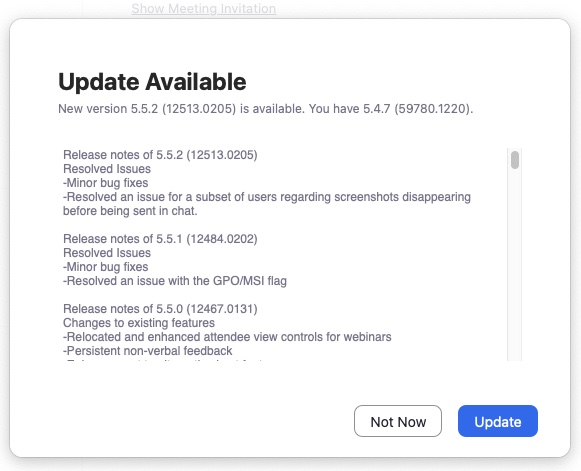
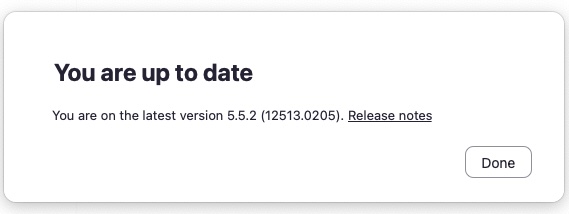
…you should ensure that the version of the application you are using is uptodate. Whether you are using a phone or tablet, a Mac or a Windows machine, you should check what version of the application you have installed. The reason for this is that we may be using options to deliver the seminar that are not included in the version of the application you are using. So, depending on your device, you need to locate the “check for updates” option, which will present a response like this…
By the night before the Seminar, when checking for updates, you should see this response above and not the response to the left here.
(But please note, the version number may not be the same as above – you just need to be “…up to date“.)
As you "arrive" at the Seminar...
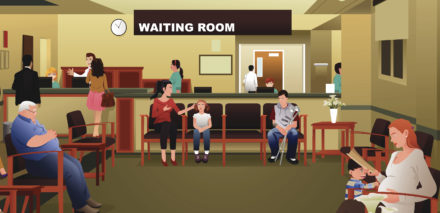
…you will find yourself in the Zoom meeting Waiting Room.
This allows you to ensure you have all your connection settings as required and the meeting organisers can see people successfully connecting to the meeting.
You don’t need to do anything further at this point as, when the meeting starts, you will be taken out of the Waiting Room automatically. You can sit back and relax.
As the Seminar opens...
…the Zoom meeting should set your microphone and camera to off. This is desireable from two perspectives.
If your microphone is on, any cough, sneeze, expulsion of air or dog bark will have your Zoom app thinking you want to say something to the meeting at large and it will mute the presenter to allow the Seminar to hear you !
If your camera is on, the video feed will go to all the paticipants, adding data to the overall broadcast… and… if you have a slow(er) network connection, you’ll know this is best avoided.
So please ensure you are muted and that your video is turned off. You will find both these settings in the bottom LEFThand corner of your Zoom app…
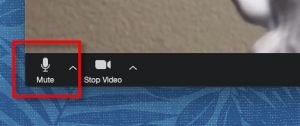
Both these icons should have a red line through them. Please remember to check this…
The BCBKA Survey
You will see in the schedule for the Seminar, it is our intention to run a short survey after lunch (13:40) to gather some information about the beekeeping practises that are found within the Bucks county.
Participation is not mandatory but, please, no mischievously erroneous answers just to swap the numbers !
The survey will be presented to your screen via a series of dialog boxes, with various options for your to choose, before you press send to have your answer recorded.
For data privacy purposes, please be assured that…
…this survey is anonymous!
This is being used to gather aggregated numbers only and will be used to inform and guide future plans within the BCBKA when offering support and guidance to members.
Breakout groups
As we won’t get a chance to all meet in person at this year’s Seminar, we will be trialling Break-Out groups.
Depending on the number of people who attend on the day, a number of sessions will be available for you to join for subject-matter conversation.
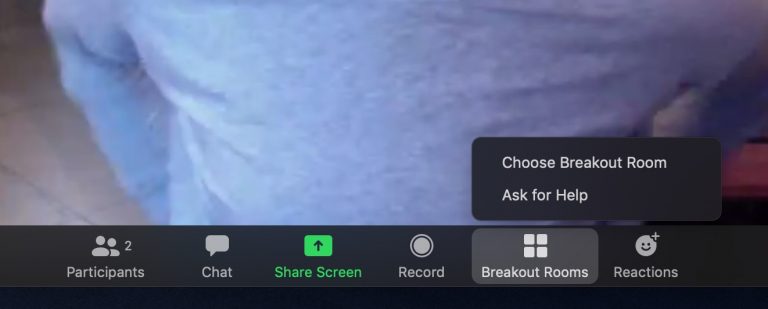
If you look at the icons on the bottom bar of your Zoom app, Breakout Rooms should be visible. If it’s not there, you might need to check that your install of the Zoom app is uptodate (see above).
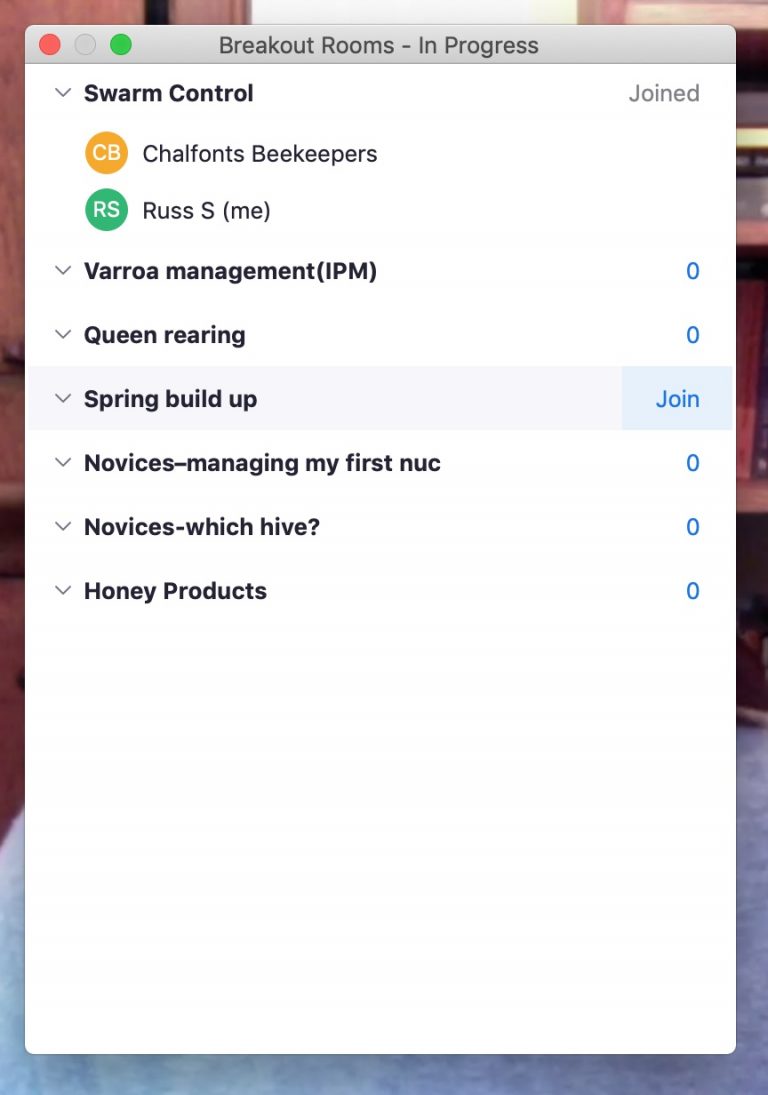
The following dialog box will appear, allowing you to select Join for the group that you would like to join.
You can choose your room and you can move between rooms as you want.
Each room will have a “leader” for that subject, but it is hoped that people attending whichever session will all join in for a conversation in the round.
Remember – for this part of the Seminar, you can turn your mic and video on !
What if my connection fails ?
Your connection to the Seminar may fail and you may drop-out.
This could be because your device has run out of power or simply that your broadband provider has had a blip. If this happens, when you have reconnected to the internet, please use the same Zoom meeting link to reconnect and you should find yourself back in the meeting.
But, remember, when you rejoin – check that your mic and camera are disabled.
"Dress code" for the day
Given that it is well known that Huw Edwards reads the 10 o/Clock News in his cycling gear below the waist…

…you are at liberty to wear what you choose for this year’s Spring Seminar. However, please remember that, if you have not disabled your video, the entire county will see what you’re wearing !
And if anyone wants to appear as a fluffy white kitten or make their domestic setting appear as though they’re in the Tardis or on the deck of the USS Enterprise, a help document to this end can be found here.
Good luck to everyone on Saturday and, remember, we don't want to go 'viral', so please be patient with us.
Better Beekeeping
Improve and expand your beekeeping skills
Asian Hornet
Recognition and Action
2021 Spring Seminar
Back to the Spring Seminar page